항상 백엔드만 해왔는데, 최근 프로젝트를 진행하며 프론트엔드에 도전하게 되었다..!
맡게된 페이지 중 랜딩페이지가 있었고, framer-motion 라이브러리를 이용해 애니메이션을 적용해 보기로 했다.
Motion - A modern animation library for JavaScript and React
Motion is built on native browser APIs for a tiny filesize and superfast performance. It uses hardware acceleration for smooth and eco-friendly animations. Previously Framer Motion.
motion.dev
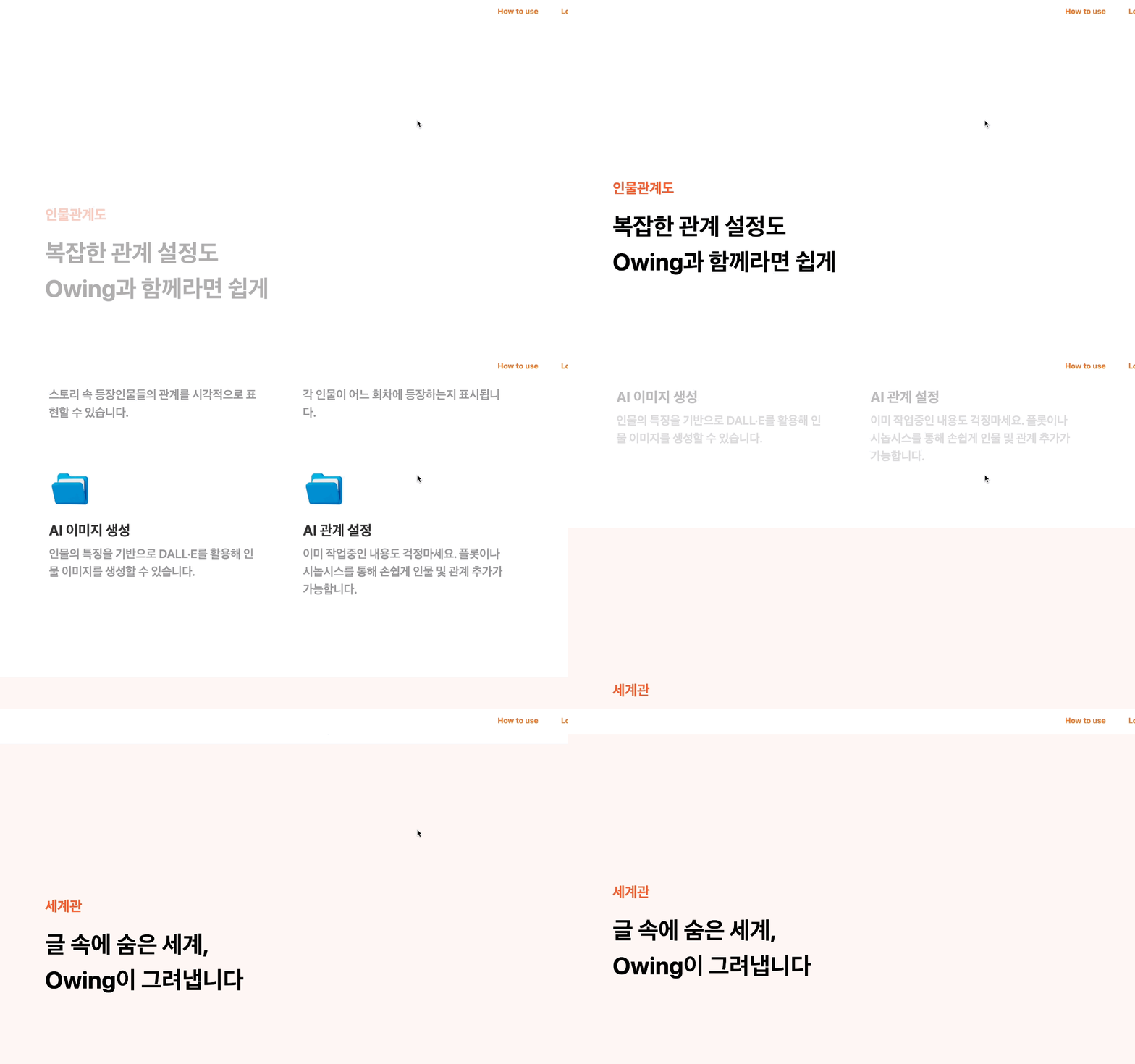
구현 화면
framer-motion 라이브러리를 이용해 스크롤 애니메이션을 적용한 모습이다.
Framer motion 적용
라이브러리 설치
npm install framer-motion
framer-motion 라이브러리를 이용해, 스크롤을 내릴 때 서서히 등장하는 애니메이션을 적용할 수 있다.
구현
랜딩 페이지에서 각각의 기능을 소개할 때 재사용하기 위해 컴포넌트로 구현했다.
initial은 초기상태로 투명도 `0`이며 y 좌표를 오른쪽으로 `50px` 이동한 위치에 있고
whileInView는 해당 요소가 뷰포트 안에 있을 때 적용할 애니메이션으로 투명도 `1`, y 좌표를 `0` (원래 위치) 로 설정하고
viewport는 뷰포트 설정으로 once를 `false`로 설정하여 뷰포트에 들어올 때마다 애니메이션을 반복하고
trasition으로 애니메이션을 설정하는데 duration `0.6`으로 ease를 `easeOut`으로 설정하여 부드러운 감속 효과를 줄 수 있다.
import React from 'react'

import { motion } from 'framer-motion'

interface TitleProps {
  title: string
  desc: string
}

const Title: React.FC<TitleProps> = ({ title, desc }) => {
  return (
    <motion.div
      initial={{ opacity: 0, y: 50 }}
      whileInView={{ opacity: 1, y: 0 }}
      viewport={{ once: false, amount: 0.3 }}
      transition={{ ease: 'easeOut', duration: 0.6 }}
      className="ml-80"
    >
      <h2 className="mb-5 text-[30px] font-bold text-redorange">{title}</h2>
      <div
        className="mb-2 text-[50px] font-bold"
        style={{ whiteSpace: 'pre-line' }}
      >
        {desc}
      </div>
    </motion.div>
  )
}

export default Title
이 외에도 다양한 스크롤 애니메이션에 대한 내용은 [Framer Motion - Scroll] 에서 확인할 수 있다.
마치며
framer-motion 라이브러리를 사용해 애니메이션을 적용함으로써 간단하게 프로젝트의 퀄리티를 높일 수 있었다. 직접 구현해보면 좋겠지만 시간이 부족하거나 애니메이션에 큰 시간을 소비하기 싫은 경우 적합할 것 같다. 앞으로도 자주 사용하게 될 것 같다..ㅎㅎ
'✍️ 개발 기록' 카테고리의 다른 글
| [👀 Owing] Presigned URL을 이용하여 S3로 파일 업로드 (0) | 2024.10.31 |
|---|---|
| [👀 Owing] S3에 파일을 업로드하는 세 가지 방법 (MultipartFile, Stream, PresignedURL) (0) | 2024.10.31 |
| [트러블슈팅] 504 Gateway Time-out 에러 해결 (1) | 2024.08.05 |
| [👻 잼잼, 어디가] 비동기로 성능 개선하기 (asyncio + aiohttp) (0) | 2024.08.05 |
| Access Token과 Refresh Token을 어떻게 전달하고 클라이언트는 어디에 저장할까? (0) | 2024.06.21 |